# Document Tracking
### Overview
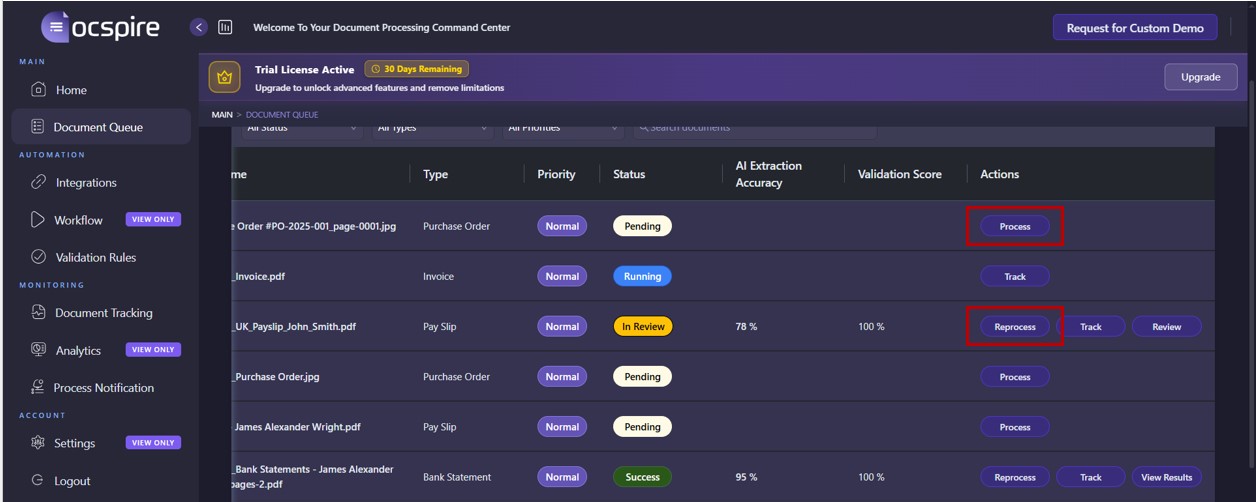
Once processing is triggered for a document, the document can be tracked. There are multiple ways to trigger document processing:
1. Process or reprocess a document in Document Queue
1. Document is automatically received through an integration.
The Document Tracking tab under the Monitoring section of the web client allows you to track the complete lifecycle of the document in Docspire from ingestion to final output delivery.
### Processing Stages
Document Tracking displays real-time status updates for:
* **Ingestion** – Document is received manually or via an integration.
* **OCR Extraction** – Optical Character Recognition engine extracts text and layout data.
* **AI Processing** – Machine learning models classify the document and extract structured data.
* **Validation** – Extracted data is validated against business rules or schemas.
* **Human Review** – Optional manual verification for low-confidence or flagged results.
* **Output Generation** – Validated data is formatted and exported to the defined target system.
Each stage is logged with a status, timestamp, and duration, enabling detailed performance analysis and troubleshooting.
### Monitoring Capabilities
The Document Tracking interface provides:
* **Search and Filters** – Query documents by document ID, document name, business ID, status, or date.
* **Status Indicators** – Visual markers showing the current processing state (e.g., Running, Success, Error).
* **Drill-Down View** – Hover over the validation block to view detailed logs and system messages for a specific document.
* **Real-Time Updates** – Automatic refresh of processing progress and event logs.
* **Audit Trail** – Complete chronological record of all system and user actions related to the document.
### Use Cases
* Operational Monitoring: Track real-time processing volumes and identify bottlenecks.
* Error Analysis: Investigate failed or delayed documents through detailed error logs.
* Compliance and Audit: Maintain traceable records of document handling for regulatory requirements.
* Performance Optimization: Analyze stage durations to improve processing efficiency.